Tasks
The tasks views allows to display users and system tasks. User tasks are launch by selecting search results and apply an action on them. Note only administrators can have access to tasks from others users. Normal users can only see their own tasks.
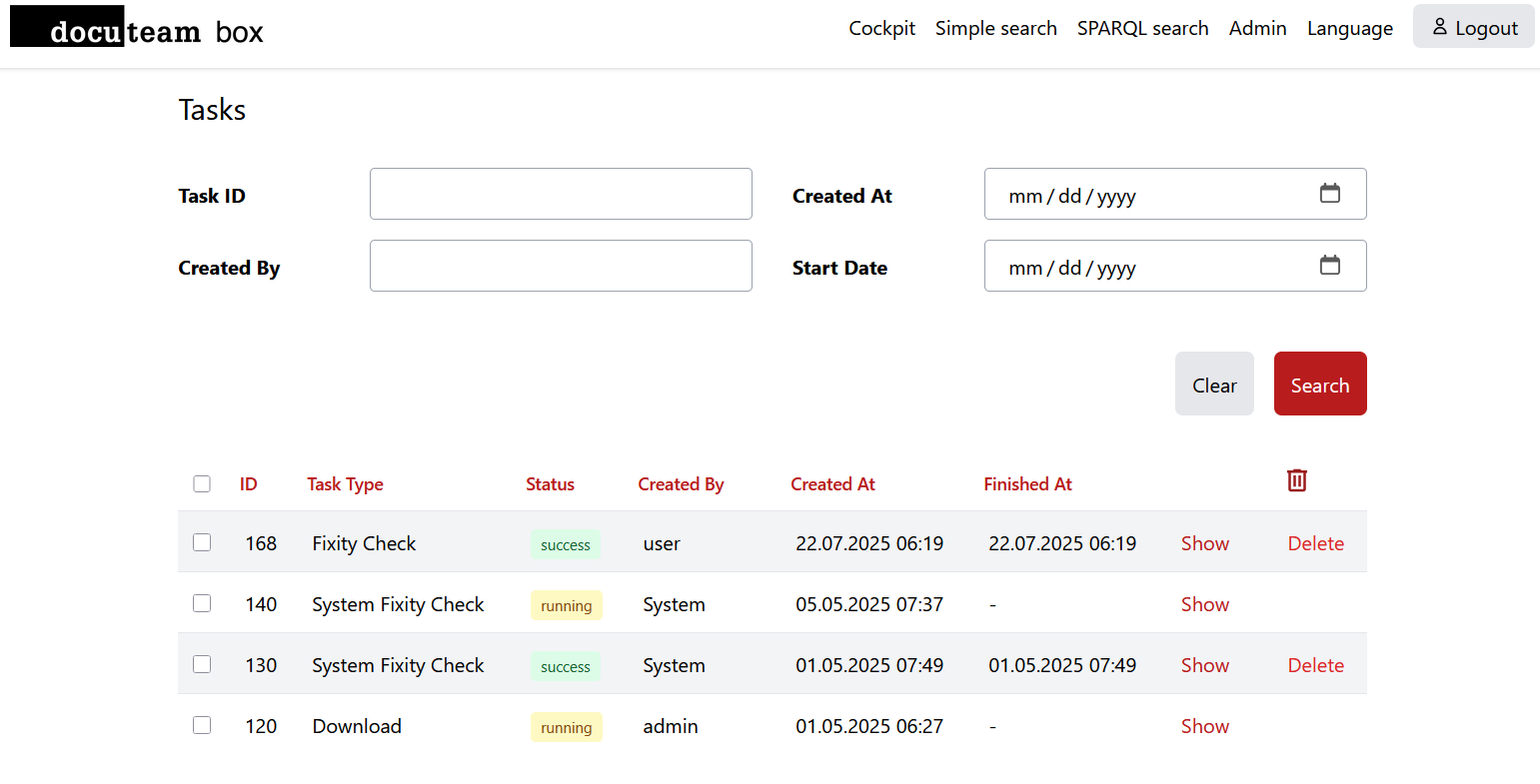
The tasks can have the following status:
- pending: The task is waiting to be run.
- running: The task is currently being processed.
- failed: There was an error during the execution of the task.
It is possible to delete old jobs that are not in state running by selecting them and hitting Deleteor by using the garbage icon for a multi-selection.
You can seen the detail of a tasks with the help of the Show link. The view depends of the action that was executed. Usually we can see the instantiations that were part of the task, if the action had succeed and the result of the action (for a fixity check the status of the check and the checksum).
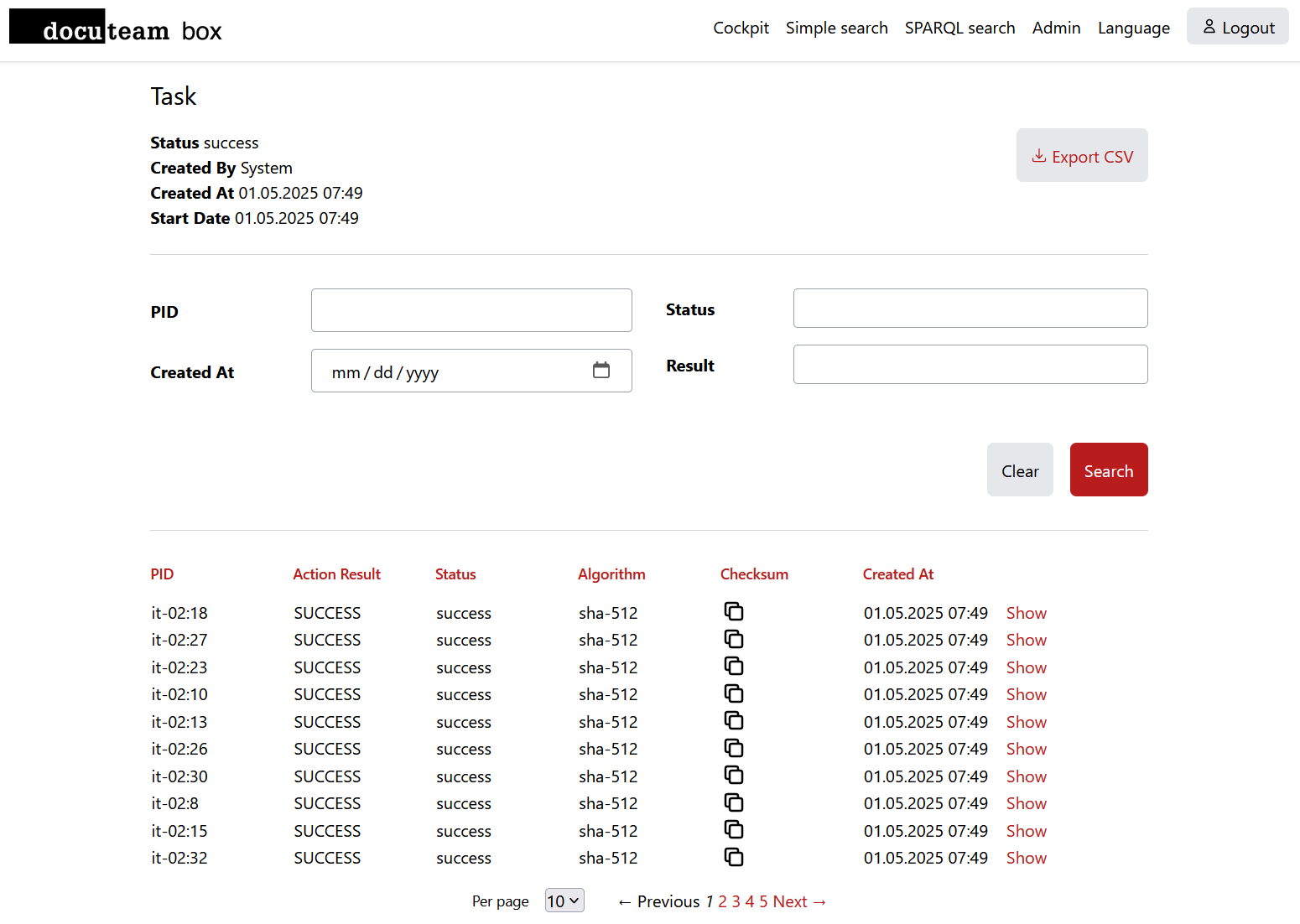
At the top right of the screen, you can usually download the product of the task (for the fixity check it is a CSV file with the results, for a download action it is a zip file containing the wanted objects).
Tasks will be automatically deleted after the configured amount of time more information.