Spaces
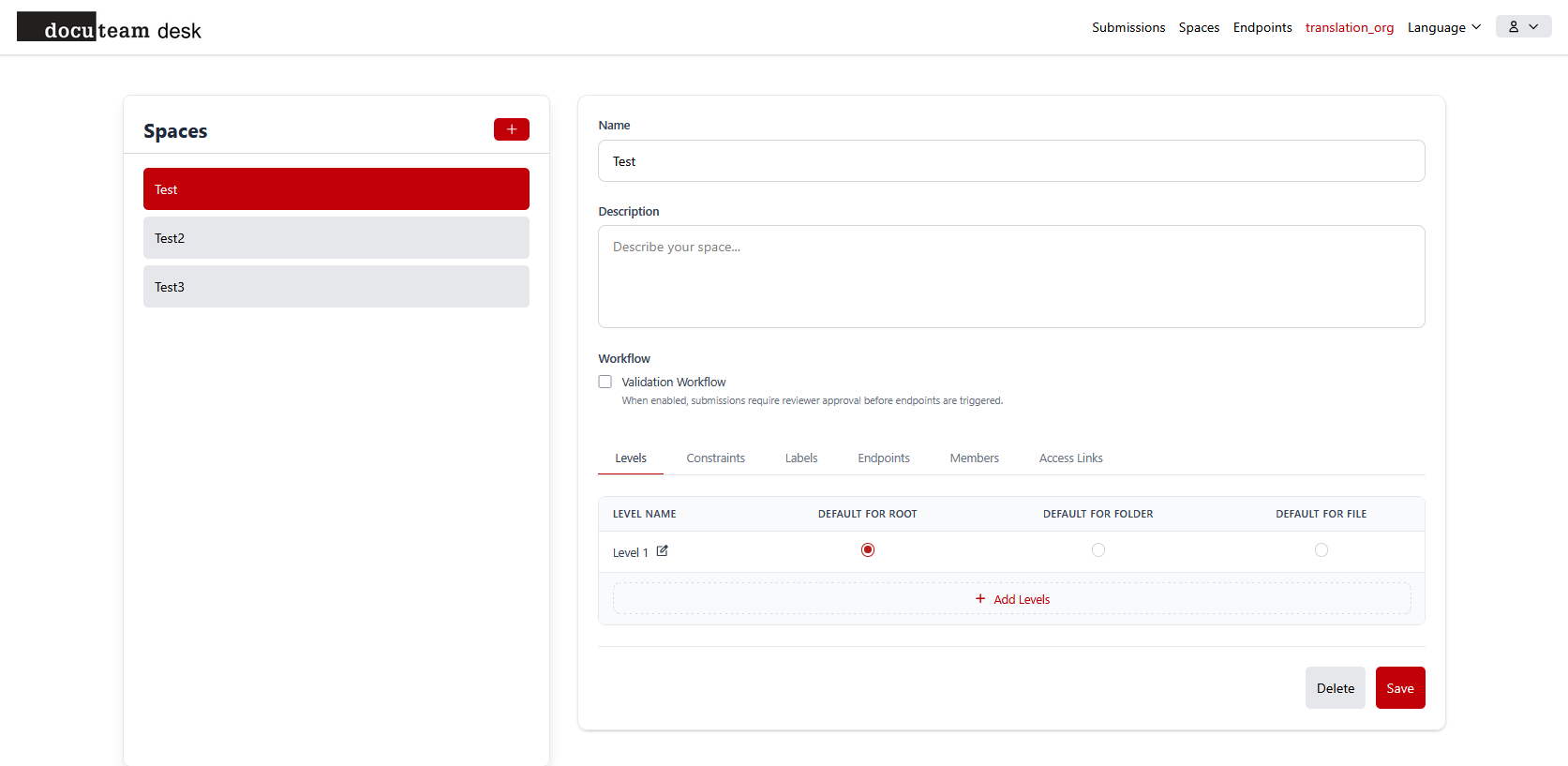
The Spaces page allows users with appropriate privileges to create and manage submission spaces. Each space acts as a controlled environment where you define submission requirements, authorization rules, and structural hierarchies.
The configuration of spaces will usually be undertaken by docuteam.
If a Validation Workflow is enabled for a space, you can also designate a specific Reviewer. Once a submission is received, the reviewer can either Approve, Reject, or Request Revision (see Reviews).
Levels
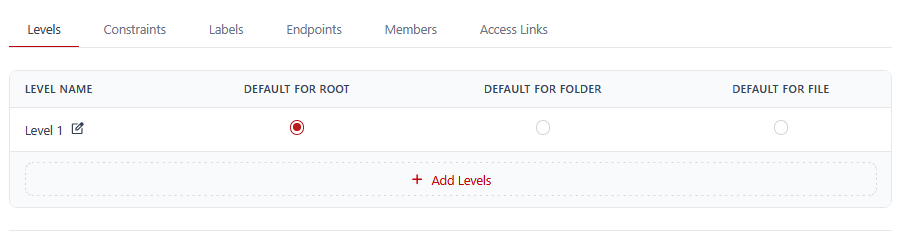
The Levels configuration allows you to mirror your required document structure (e.g., Dossier, Folder, or File).
To streamline the creation process, you can set default levels for specific object types:
- Default for Root
- Default for Folder
- Default for File
By selecting these defaults, the system will automatically assign the specified level to those objects upon creation.
Level configuration
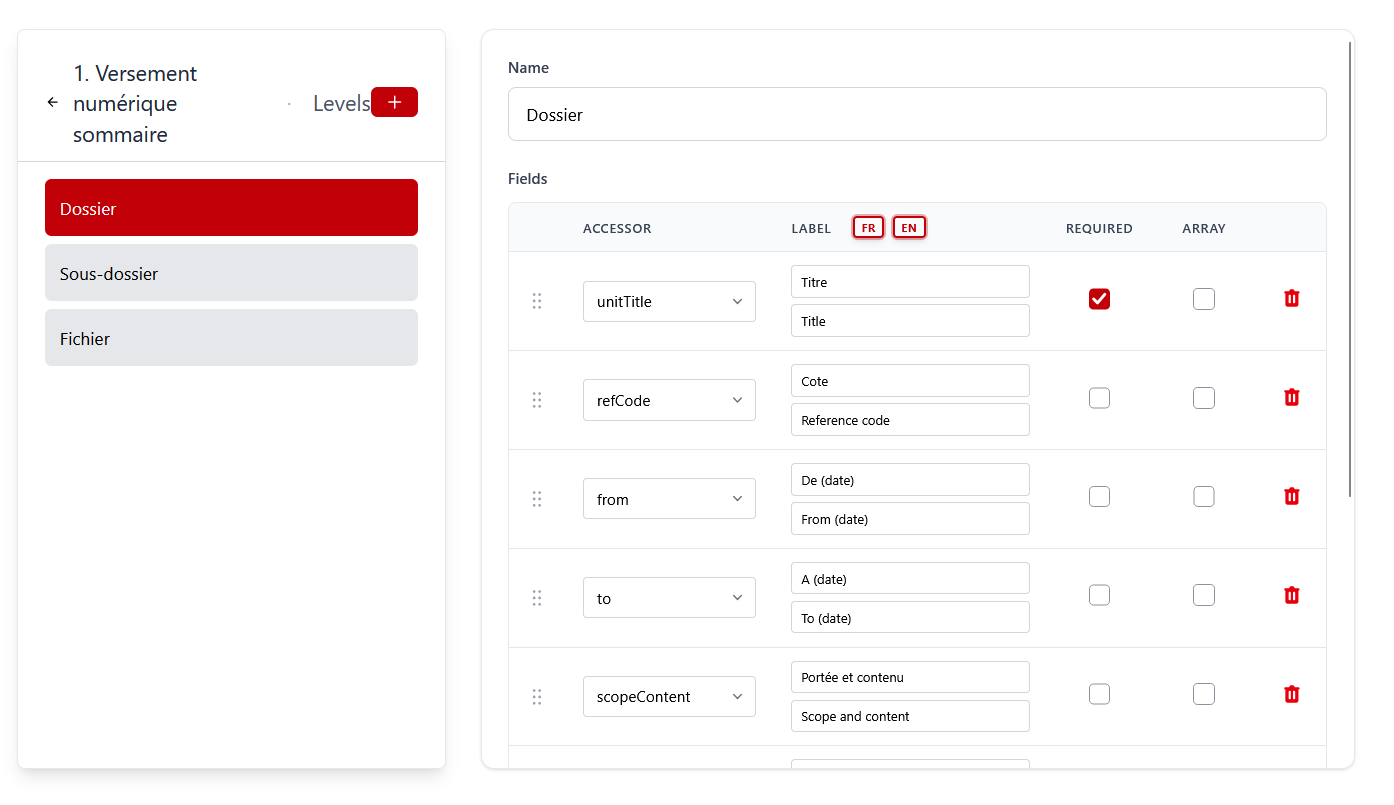
By clicking the Edit icon on a specific level, you can customize its properties:
- Naming: Define the display name for the level.
- Metadata Fields: Add custom metadata fields and define their labels in multiple languages.
- Required Field: Use the Required column to enforce mandatory data entry.
- Array Property: The Array column determines whether a field allows for multiple entries.
Constraints
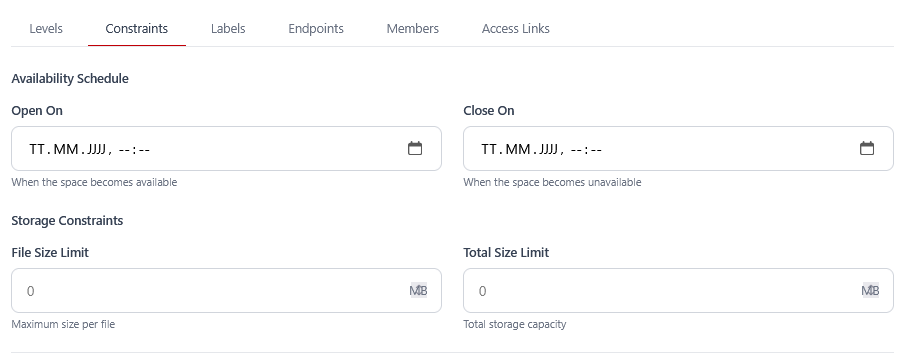
You can define specific constraints for each space:
- Timeframe: Define the valid period during which submissions are accepted.
- Size Limits: Set maximum file size restrictions to manage storage and bandwidth.
Labels
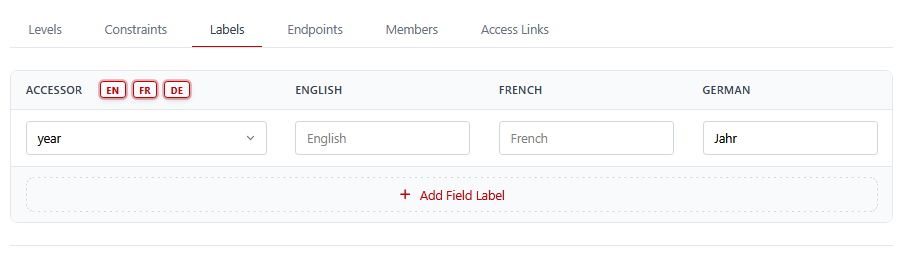
To reduce time spent on configuration, you can define Labels at the space level. If all levels within a space use identical labels, defining them once at the space level will automatically apply them to every level in that space. However, if any labels were defined on Levels level, they will be overwritten by the labels on space level.
Endpoints
The Endpoints section defines the destination for all finalized submissions. Once a submission has passed the validation process (if applicable), it is automatically routed to the selected endpoint(s).
For detailed instructions on how to create and manage destinations, see Endpoints.

Members
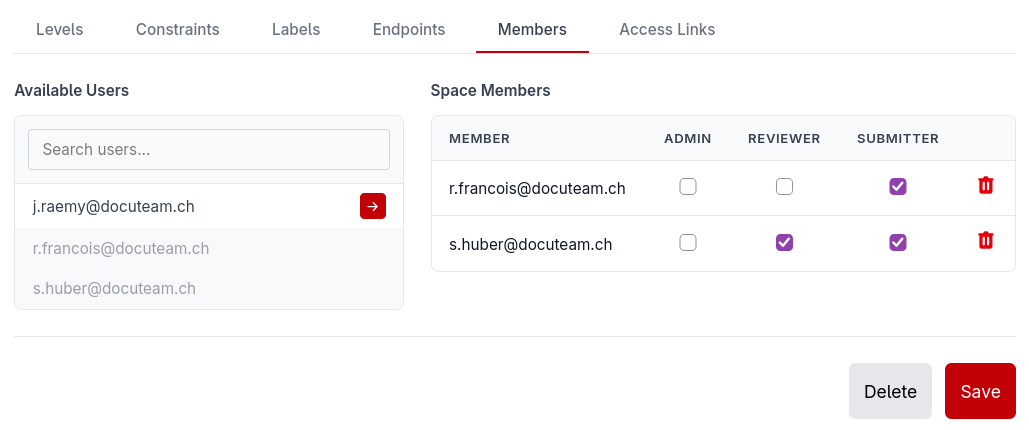
Users identified in Keycloak with the [org_id]-user role can be assigned specific functional roles within a space:
- Admin: Full management rights for the space.
- Reviewer: Authority to manage the validation workflow.
- Submitter: Permission to upload and create submissions.
For a full breakdown of permissions, please refer to the Authentication documentation.
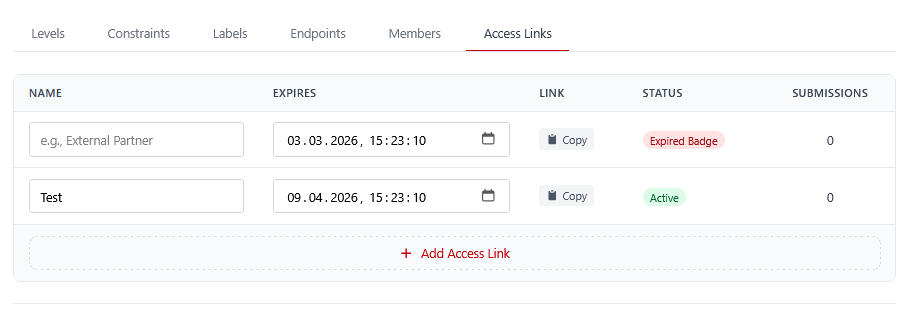
Access Links
For external contributors, you can generate Access Links. These URLs allow external users to access a specific space and perform submissions without requiring direct integration into your primary identity provider.