Admin menu
The Admin menu allows administrators to access the following functions:
| Function | Description |
|---|---|
| API keys | to manage applicative keys to access the API. More information |
| Webhooks | to manage webhooks that can be sent event to third parties applications. More information |
| Tasks | allows to manage the tasks that have been launched by applying an action to records. System tasks are also manageable from here. More information |
| Audit | shows the audit log of user actions on repository objects. Visible to administrators and to users with the <namespace>@audit role. More information |
| Features | allows to manage optional features that can be turned on or off. |
| Settings | global settings to change the behavior of the application. |
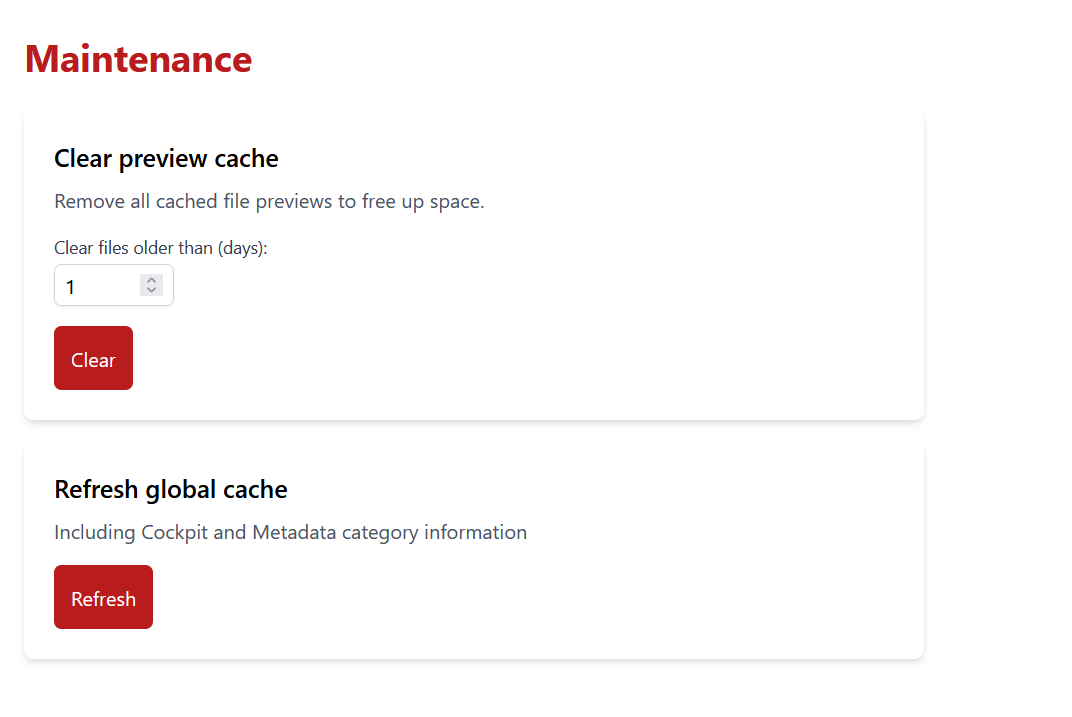
| Maintenance | general operations to manage internal caches and others subcomponents. |
Note that tasks are also accessible to standard users, but only within a limited scope (i.e., their own tasks).
Features
The availables features are:
Fixity check
It allows to enable (default value) or disable the background system fixity check of the whole archive.
Settings
You can change some global parameters from here:
| Parameter | |
|---|---|
| Time to purge tasks | Number of days after which tasks will be automatically deleted. |
| Max download in MB | Maximum size of the resulting zip file for download action. |
| Cache refresh interval in minutes | Interval between two refreshs of the cockpit and metadata cache. |
| Preview expiration in days | The number of days after which tasks will be deleted. |
Maintenance
From this view, it is possible to:
- Clear the preview cache by removing the files that are older than the specified number of days of it.
- Refresh the global cache use for the cockpit and some metadata information and not wait for the automatic refresh.
- Restart the system fixity task in case it is not running.
- Recalculate the prevalence of each preservation format (number of matching files in the repository). It is otherwise recalculated automatically once a day.