Edit a single element
Edit an element with forms
The form view is the central way to display an entity in docuteam context. All entities are created and modified using a form.
The data you can enter and display for a particular entity is defined by forms. These are set up and enabled by administrators.
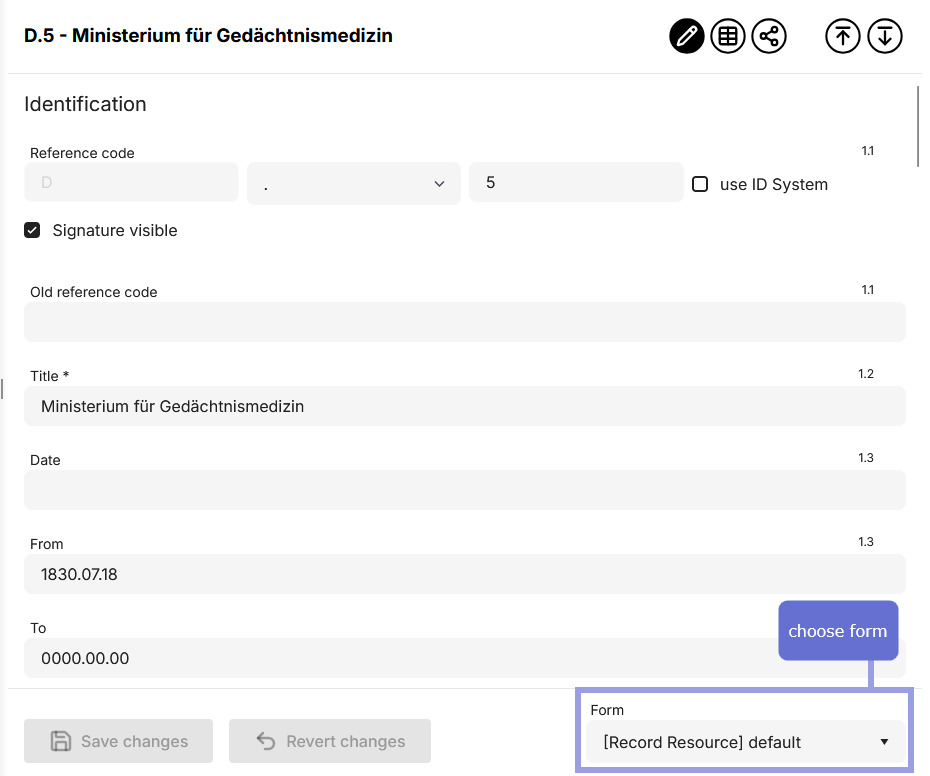
The currently used form can be selected and switched at the bottom right.
Changing the form changes the data model
It’s important to understand that a form defines which data is stored and how, not just which part of an entity’s data is shown.
Therefore, data can be lost when switching forms. This happens if the new form shows fewer or different data than the current one.
docuteam context detects such situations and displays a warning listing all affected fields. Only after confirming again is the switch performed and the data deleted.
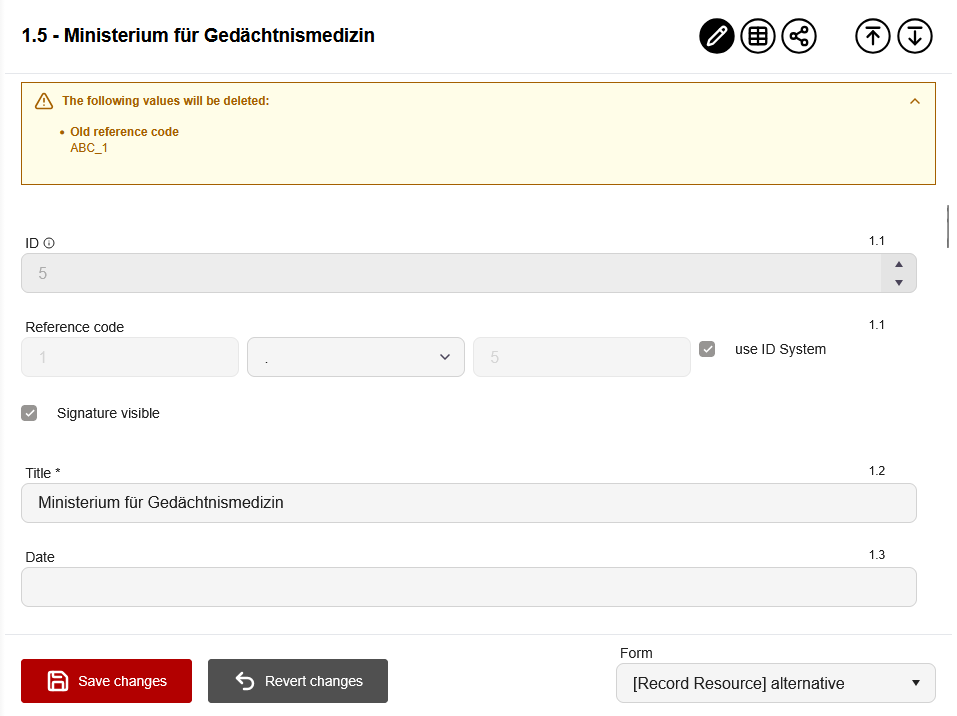
Such a warning message only appears if data would be removed when switching forms. If all existing data can be accommodated by the newly assigned form, docuteam context does not require confirmation.
What happens to data when forms change?
What happens to already stored data if you later change its forms, given that they determine which data is stored for an entity?
Generally, old data for an entity remains until it is opened with the new form and saved.
-
If a field is removed from a form e.g. for records, the values for that field remain for records previously edited with that form. If you open such a record with the new form, you won’t see the values for the removed field, but they still exist until you click “Save” in the form view.
-
If a field is added to a form e.g. for agents, all previously entered agents initially have no value for this field. The field only appears for a particular agent when you open and save that agent with the new form.
-
If the type of a field changes in a form e.g. for places, docuteam context tries to translate the value of the old field to the new type. This can work well for similar field types, e.g., when converting a date field to a text field.
In such cases, it’s recommended to request a targeted migration of the data by docuteam to ensure a reliable mapping from the old to the new form.
Plan major changes as data migration
Forms created in docuteam context should remain as stable as possible. Changing forms when data already exists requires expertise and should not be considered daily business. Except for minor changes, the best approach is often to create a new form and then have existing data migrated from the old to the new form.
The strength of flexible forms lies in their adaptability to the different needs of archives. This is especially true at the beginning, when an archive newly uses docuteam context or is migrated from another archival information system.
Any subsequent change to the data structure made via forms should be well planned and is generally carried out via bulk updates.