Records and their hierarchy
Working with records and the hierarchy
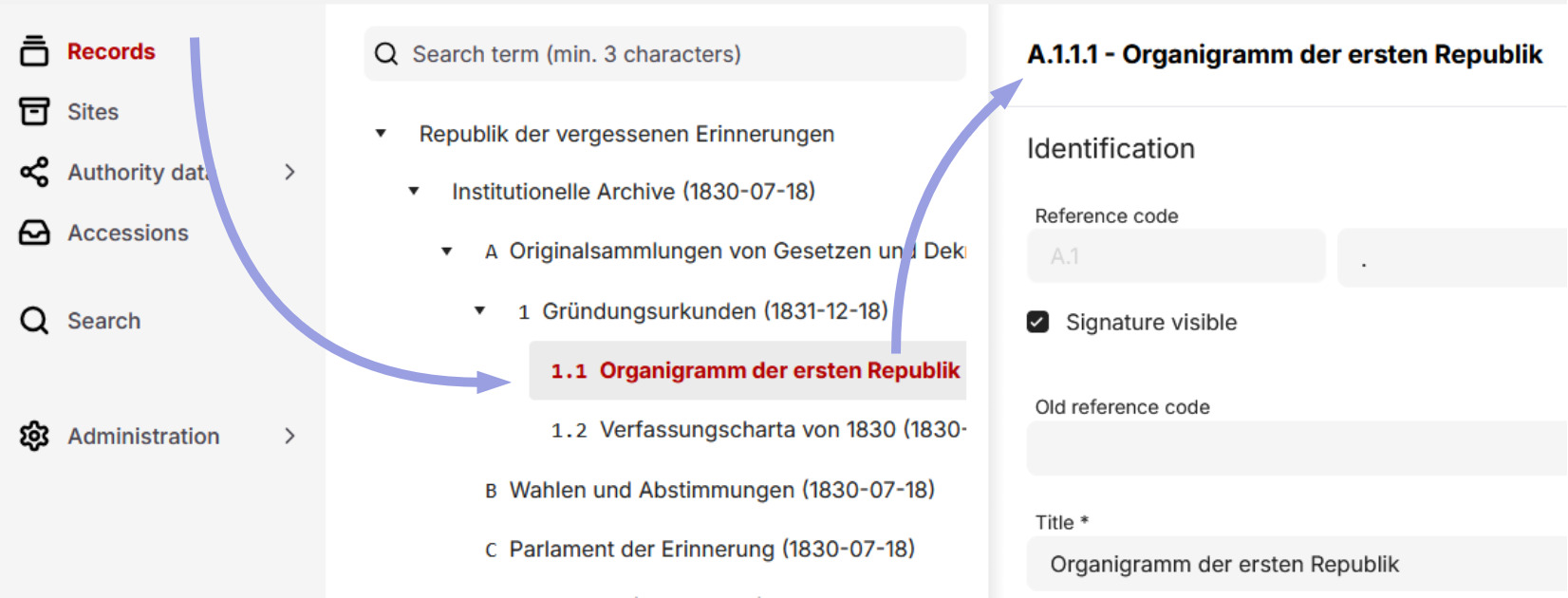
When choosing „Records” from the menu, the archive hierarchy appears with the top entry - usually representing the archive itself - revealing its descendant entries by default.
You can navigate in this tree — from the archive to sections to fonds and series, down to files and individual documents. When selecting a specific record its details appear on the right.
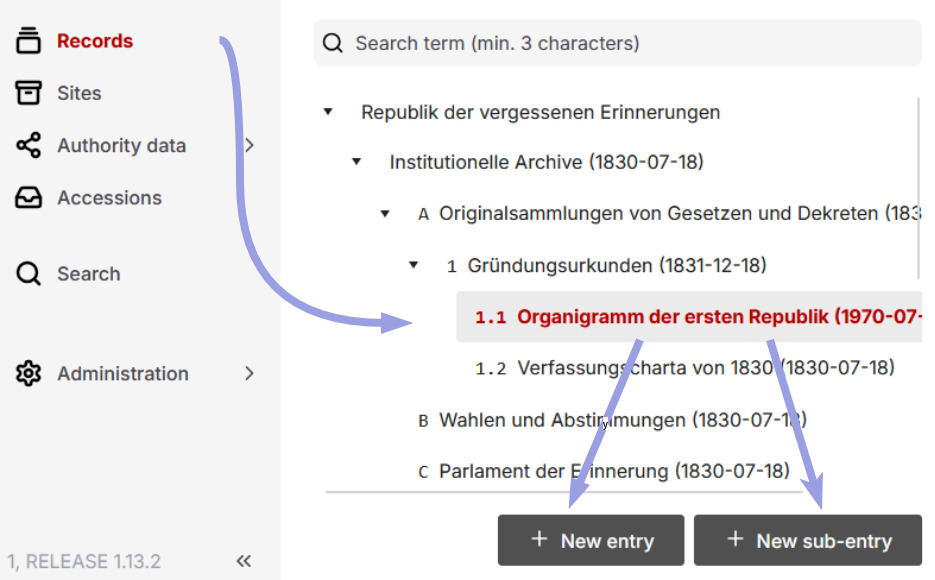
You can create a new record at the same level as a selected element or one level below it.
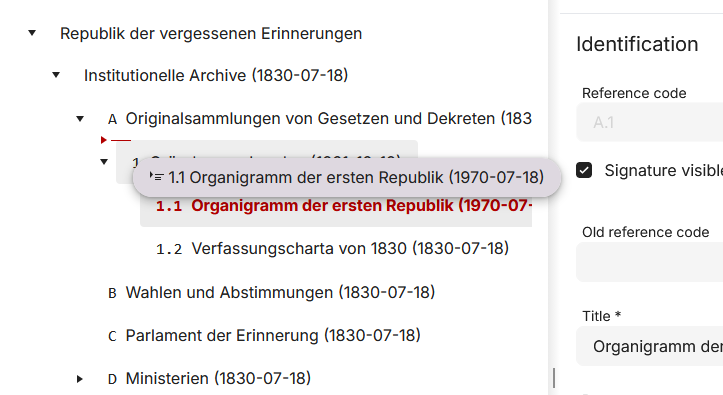
Using drag and drop, you can move a single selected element (including its subtree) to another place in the tree.
Working on the hierarchy with the contextual menu
You can also trigger operations on the hierarchy using the contextual menu. To open it, select a record in the hierarchy and then right-click on it or press Control (Ctrl) and the left mouse button.
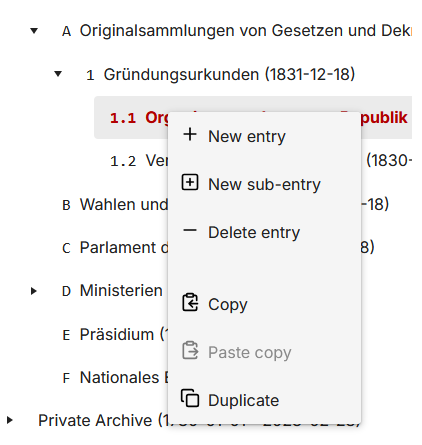
The available actions are:
- Create a new record: creates a new record at the same level as the selected record or one level below.
- Duplicate a record: quickly creates an exact copy of the selected record and saves it immediately.
- Copy a record, then paste (copy & paste): creates an exact copy that can be pasted once or multiple times in the same or different locations in the tree. Unlike a duplicate, a copy created this way is not saved immediately and can be adjusted first.
- Delete a record: deletes a record without descendants (children). To delete a record with descendants, each descendant must be individually deleted first.
If an action is greyed out, it is not available for the selected record. For example, you cannot delete a record that still contains other records.
Some caution is advised when duplicating records, as all fields except for the internal number (stored in the refCodeAdmin field) are copied, including values that should actually be unique (such as the signature) or customised (such as the name of the archivist).
Filter the hierarchy with text
You can quickly filter the hierarchy by a string using the search field at the top. Only units whose titles contain the entered string are then displayed. This matching string is highlighted in bold in the title.
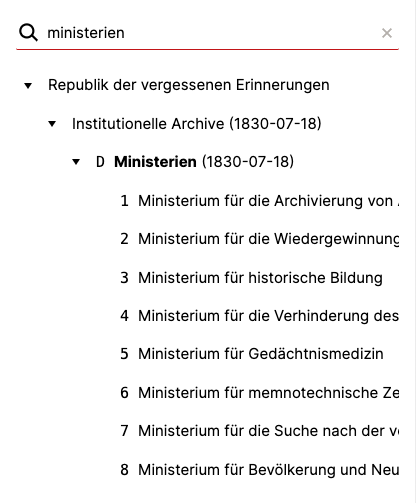
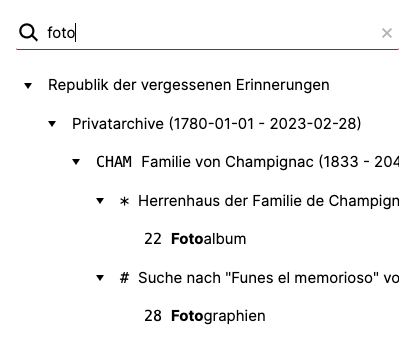
The hierarchy also expands so that a unit with a match becomes visible. Its ancestors, direct descendants („children“) and all records at the same level („siblings“) are revealed as well.
Such a search is performed only after at least three characters have been entered.
Why a hierarchy at all?
In Records in Context — the foundation for the data structure in docuteam context — an archive actually would not have to establish a (single) hierarchy of records. The standard actually defines a graph, i.e. a network of units that are linked to each other.
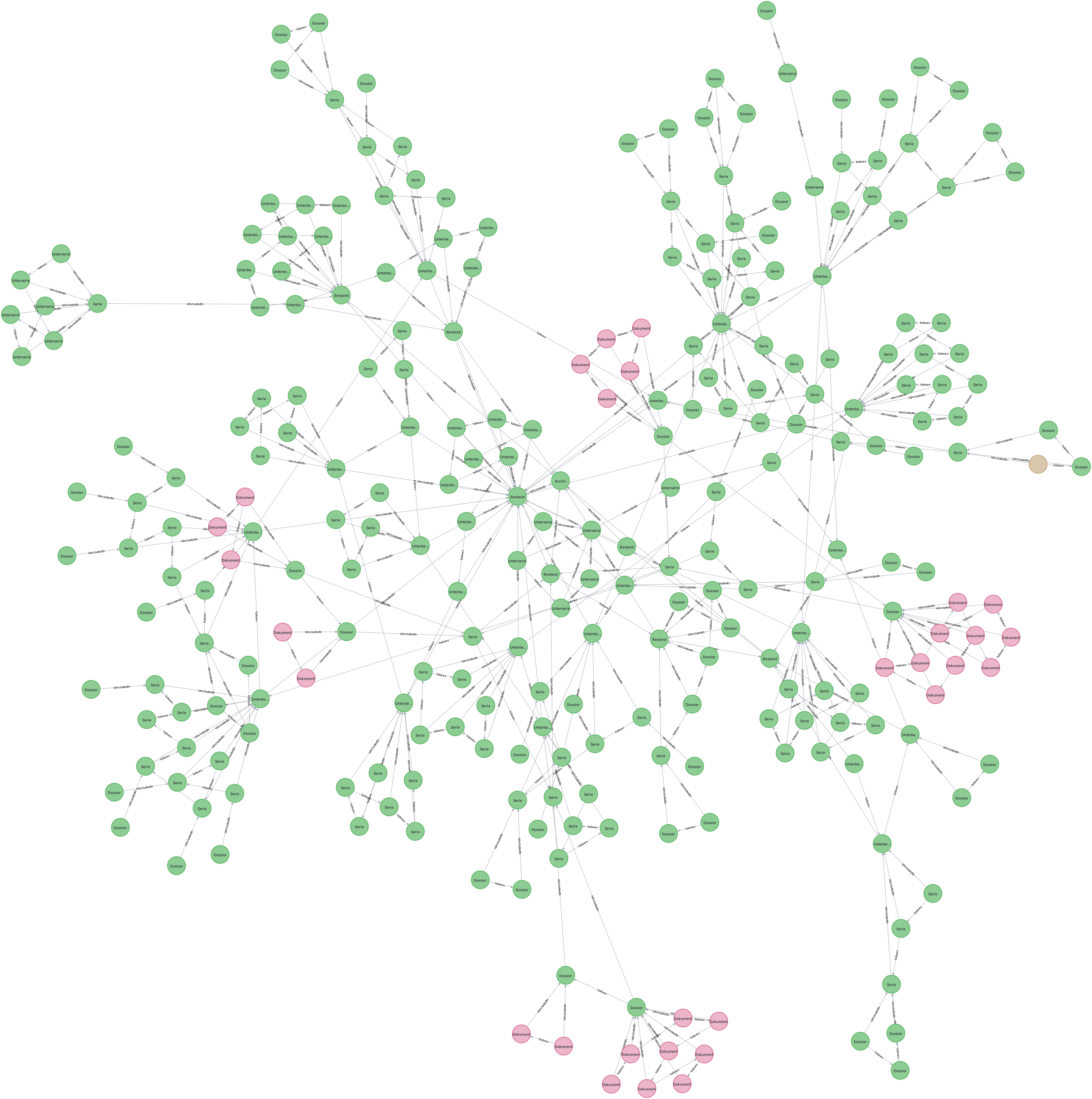
However, graphs are not easy to navigate and tend to become confusing quickly. While graphs can provide surprising insights when explored, they are cumbersome for typical tasks involved in recording and managing an archive and are generally more suitable for machine processing.
We have therefore decided to retain the hierarchical view as an established element and primary access point in docuteam context’s user interface. In future, we will offer a view of the underlying graph in specially developed views.