Import and Export
Import in Context
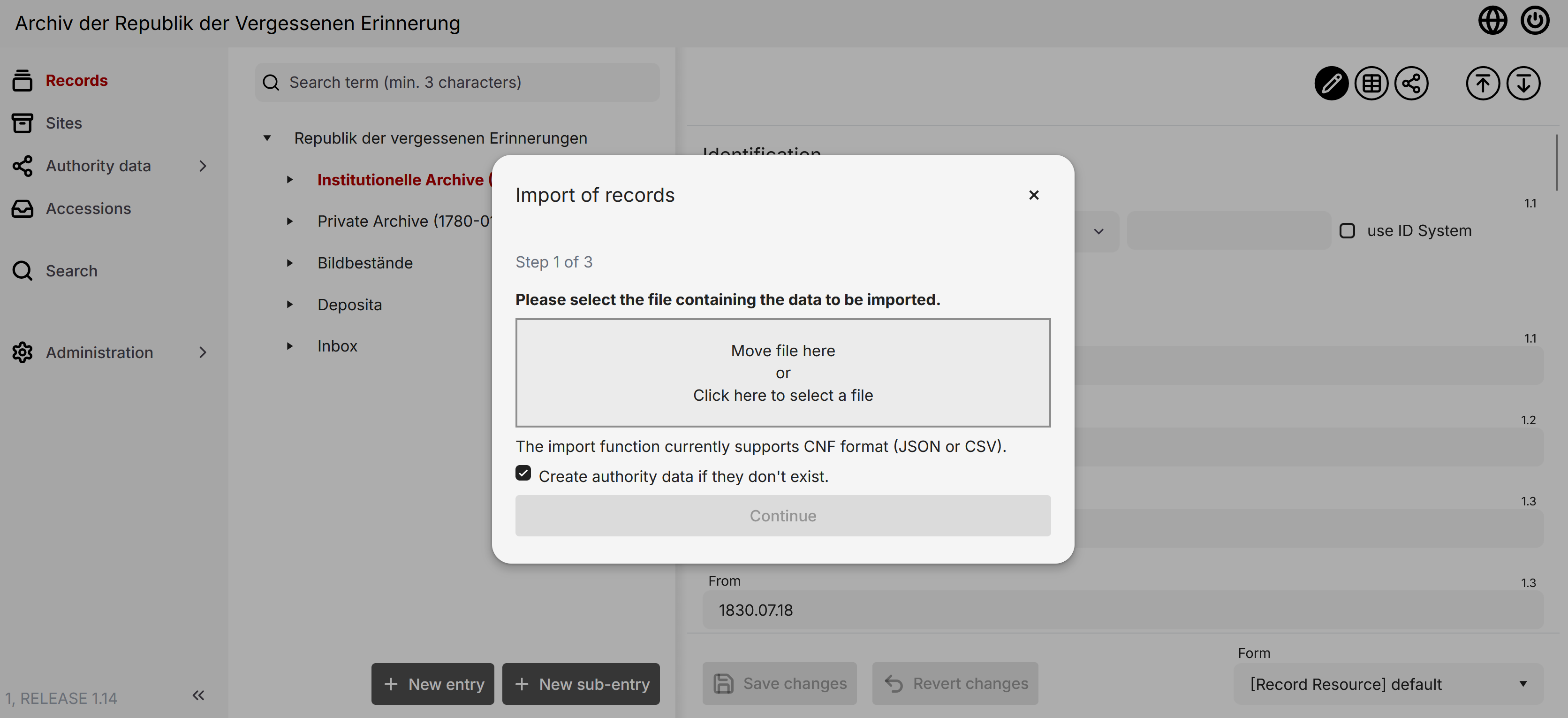
New records can be imported through the Context user interface. Open a record's detailed view and click the import button to open a dialog box. You can select files in the required format (CNF:CSV or CNF:JSON) or use drag-and-drop. For more details, see the About Formats section.
You can also decide whether to create referenced authority data during import. If you choose not to create them, the data must already be present in the system to be conntected to the imported record.
The import process only creates new entries and does not update existing records.
Export aus Context
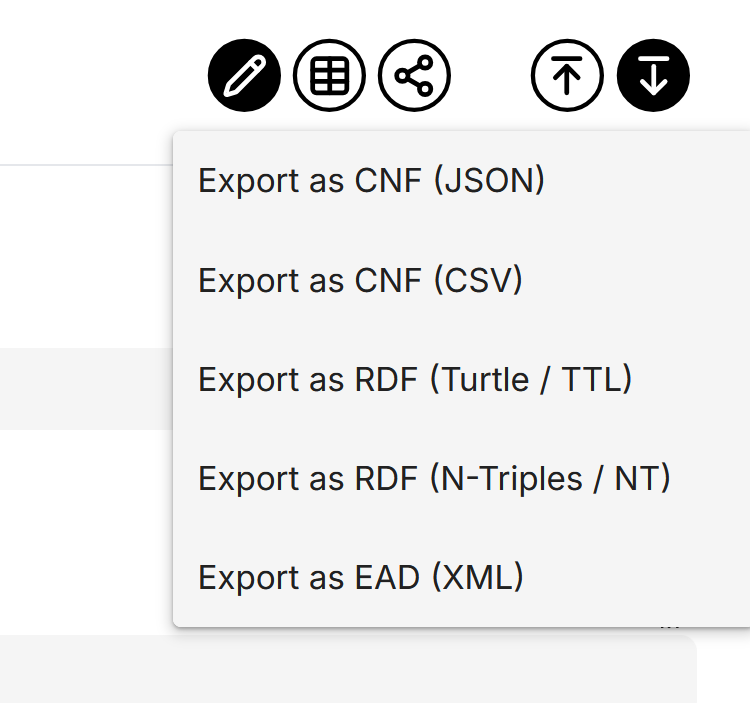
Use the export button at the top right of the detailed view to switch to the export view and download your selected record in different formats.
Supported formats include CNF:JSON, CNF:CSV, Turtle/TTL, N-Triples/NT, and EAD(XML). For more details, see the About Formats section below.
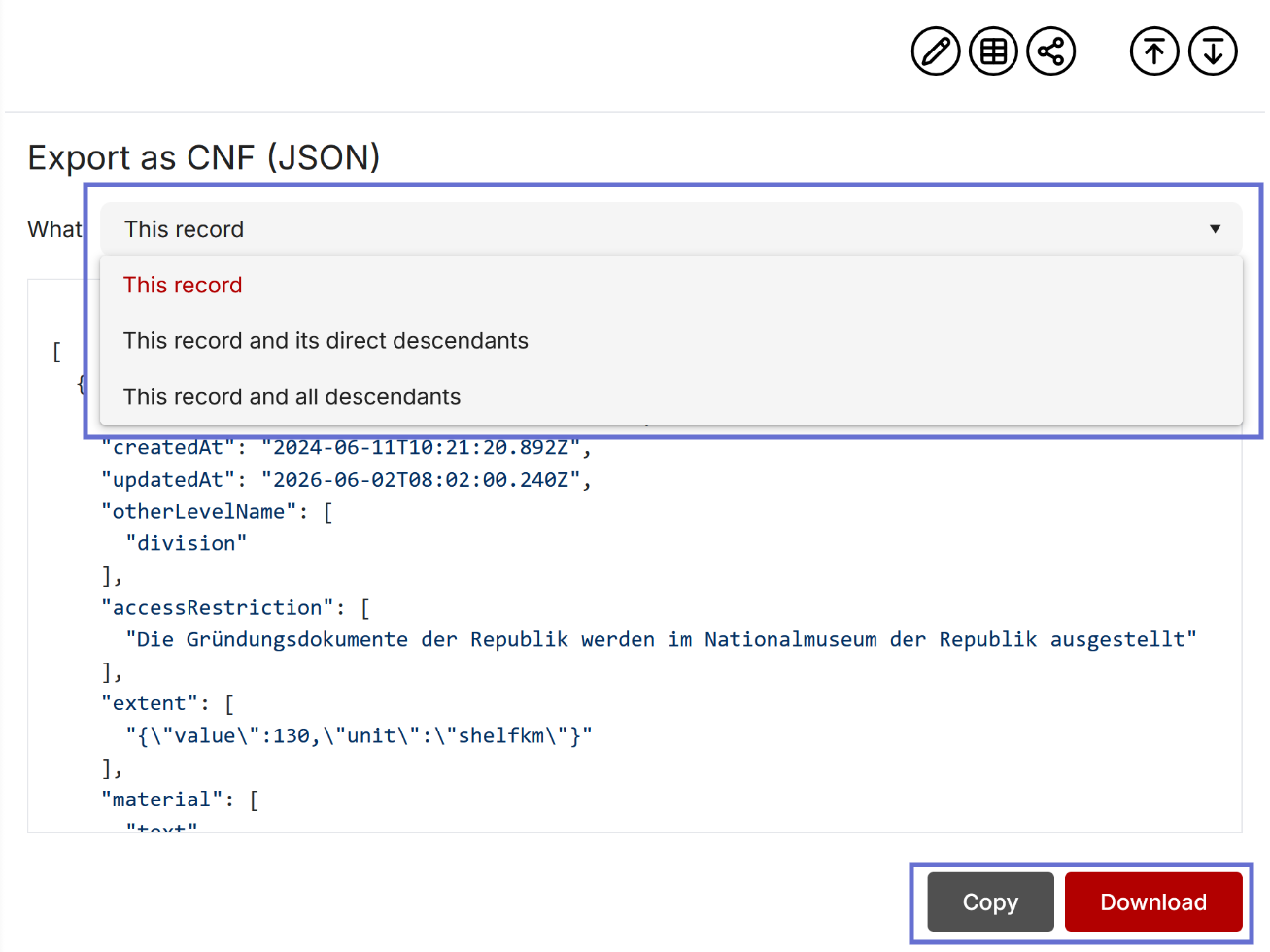
Click on a format to see a preview of the data. You can then download or copy the data using the provided button. You can also choose between exporting a single record, a record and its immediate descendants, or a record with all its descendants.
About Formats
"CNF" stands for "Context Natives Format", designed to capture all data within Context. CNF:JSON is the native format for docuteam context imports and exports, making it ideal for use in third-party applications. Use CNF:CSV for tabular layouts and manual processing. For RDF exports, you can choose between Turtle/TTL and N-Triples/NT formats. These export data as RDF triples based on the RiC-O ontology, ensuring excellent machine readability.
EAD (Encoded Archival Description) is a common XML standard for describing finding aids. The EAD export allows you to exchange descriptive data with other archives and portals that support this standard. Note that an EAD export provides less information per record than the other formats.
Because some data in docuteam context can be complex, manually creating CSV files for import can be challenging. Please contact us if you plan to use this feature regularly.